On this page
PipelineRun status
This page describes how Pipelines-as-Code reports PipelineRun status across different Git providers, including log snippets, error annotations, and notification options.
GitHub Apps
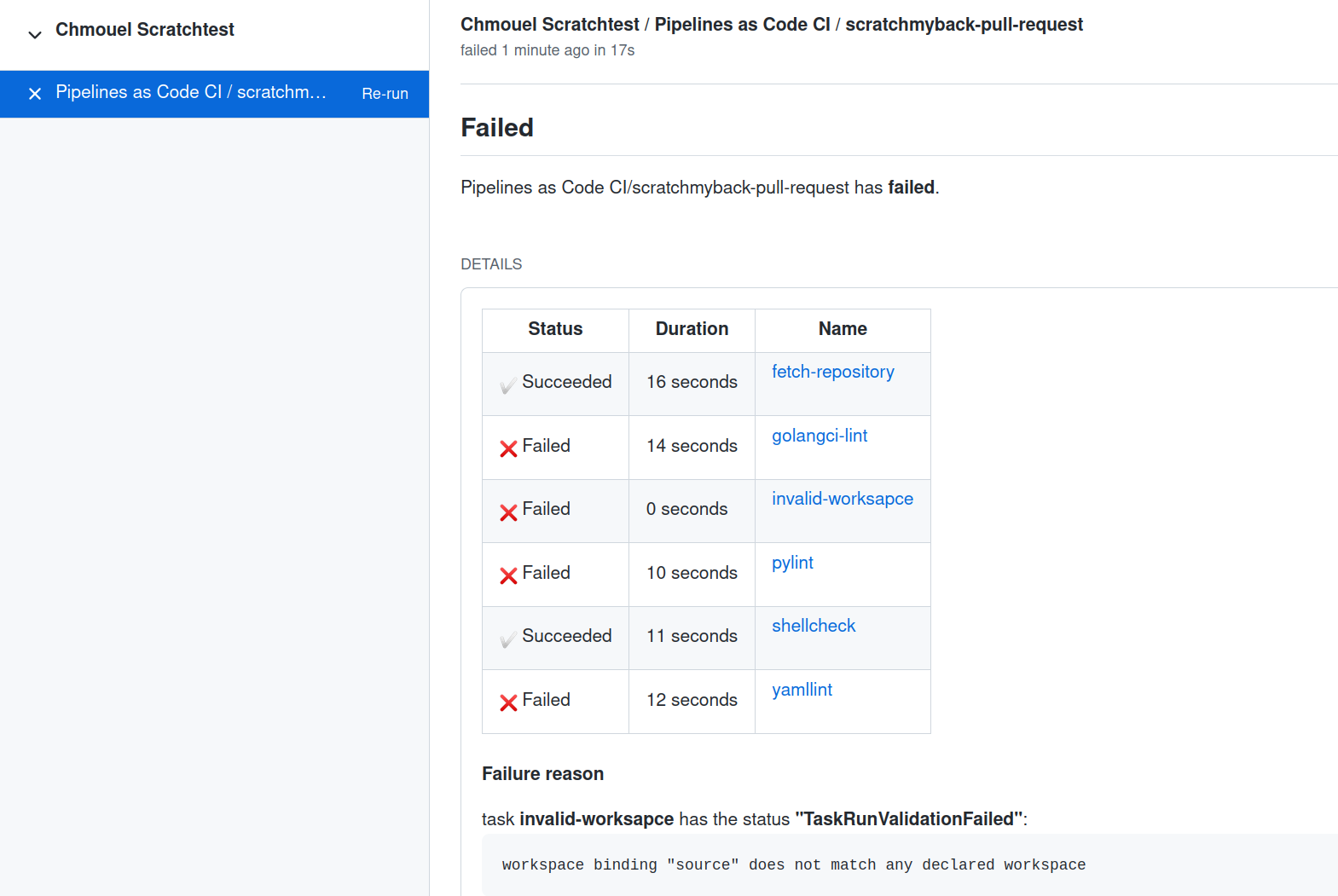
After a PipelineRun finishes, Pipelines-as-Code displays its status in the GitHub Check tabs with a concise overview of the status, name, and duration of each task in the pipeline. If a task has a displayName, Pipelines-as-Code uses it as the task description; otherwise it uses the task name.
If any step fails, Pipelines-as-Code includes a small portion of the log from that step in the output.
If an error occurs while creating the PipelineRun on the cluster, Pipelines-as-Code surfaces the error message from the Pipeline Controller in the GitHub user interface. This helps you identify and troubleshoot the issue without navigating to the underlying infrastructure.
Pipelines-as-Code also reports any other errors during pipeline execution in the GitHub user interface. However, if no namespace matches, Pipelines-as-Code logs the error in its controller logs instead.
Statuses for other providers (webhook-based)
For webhook events related to a pull request, Pipelines-as-Code posts a comment on the corresponding pull or merge request. For push events, there is no dedicated space to display the PipelineRun status. In those cases, use the alternate methods described below.
Log Snippet when reporting errors
When Pipelines-as-Code detects an error in one of the pipeline tasks, it displays a brief excerpt of the last three lines from the task breakdown. The API has a character limit that restricts the output to only the first failed task.
To prevent exposing secrets, Pipelines-as-Code analyzes the PipelineRun and replaces secret values with hidden characters. It retrieves all secrets from the environment variables associated with tasks and steps, then searches for matches of those values in the output snippet.
Pipelines-as-Code sorts matches by length and replaces them with a
"*****" placeholder in the output snippet. This ensures that the output
does not contain any leaked secrets.
Secret hiding does not support concealing secrets from workspaces
or
envFrom
sources.
Error detection from containers logs as GitHub Annotation
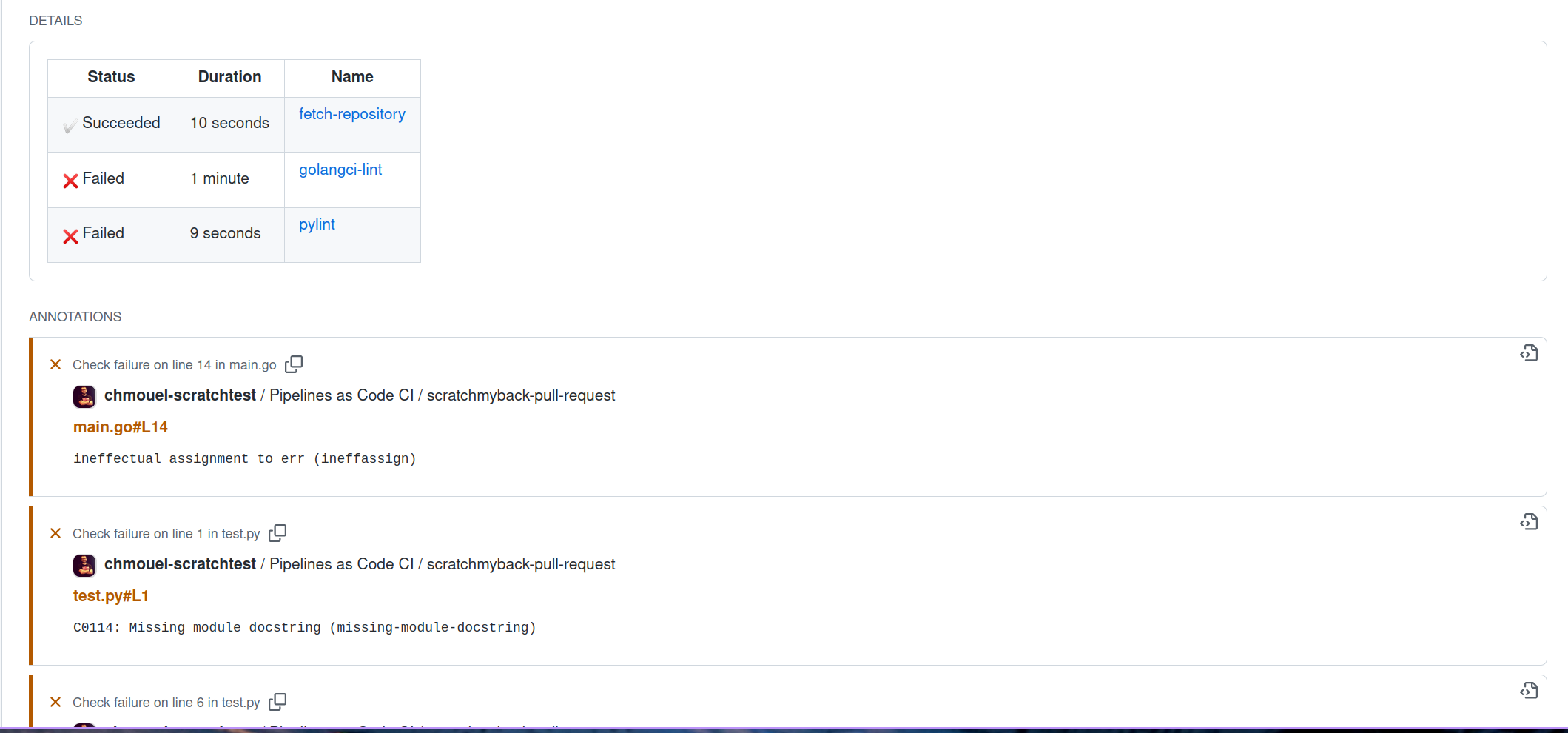
If you enable the error-detection-from-container-logs option in the
Pipelines-as-Code ConfigMap, Pipelines-as-Code attempts to detect
errors from the container logs and add them as annotations on the corresponding
pull request where the error occurred.
Currently, Pipelines-as-Code only supports a simple error format resembling makefile or
grep output, specifically the format:
filename:line:column: error message
Tools like golangci-lint, pylint, yamllint, and many others can
produce errors in this format.
Refer to the Pipelines-as-Code pull_request.yaml for an example of linting code and outputting errors in the specified format.
You can customize the regular expression used for detecting errors with the
error-detection-simple-regexp setting. The regular expression uses named
groups to provide flexibility
in specifying the matching criteria. The necessary groups for matching are
filename, line, and error (the column group is not used). The default regular
expression is defined in the configuration map.
By default, Pipelines-as-Code searches for errors in only the last 50 lines of
the container logs. You can increase this limit by setting the
error-detection-max-number-of-lines value. If you set this value to -1, the
system searches through all available lines for errors. Be aware that
increasing this maximum number of lines may increase the memory usage of the
watcher.
Namespace Event Stream
When a namespace matches a repository, Pipelines-as-Code emits log messages as Kubernetes events in the namespace of the corresponding Repository CR.
Repository CR
Pipelines-as-Code stores the most recent five statuses of PipelineRuns associated with a repository in the corresponding Repository CR.
pipelinerun_status field in the Repository CR is scheduled for deprecation and will be removed in a future release. Please avoid relying on it.% kubectl get repo -n pipelines-as-code-ci
NAME URL NAMESPACE SUCCEEDED REASON STARTTIME COMPLETIONTIME
pipelines-as-code-ci https://github.com/openshift-pipelines/pipelines-as-code pipelines-as-code-ci True Succeeded 59m 56m
You can use the tkn pac describe command from the CLI to view
all statuses of PipelineRuns associated with your repository and
their metadata.
Notifications
Pipelines-as-Code does not manage notifications directly. Instead, you can add notifications to your PipelineRuns using the finally feature of Tekton Pipelines. This feature executes a set of tasks at the end of a PipelineRun, regardless of whether it succeeds or fails.
For an example, see the coverage generation PipelineRun in the
.tekton/ directory of the Pipelines-as-Code repository. It uses the finally
task with the guard
feature
to send a notification to Slack when any failure occurs in the PipelineRun. See
it in action here: