On this page
Running the PipelineRun
This page explains how Pipelines-as-Code triggers and executes PipelineRuns based on Git events, including permission controls, error handling, and cancellation options.
When an event such as a push or pull request occurs, Pipelines-as-Code matches it against
PipelineRuns in the .tekton/ directory of your repository
that are annotated with the appropriate event type.
.tekton directory at the
root of the repository where the event originates, unless you have
configured the provenance from the default
branch on your Repository
CR.For example, if a PipelineRun has this annotation:
pipelinesascode.tekton.dev/on-event: "[pull_request]"Pipelines-as-Code automatically triggers and executes it when a user with appropriate permissions submits a pull request. See ACL Permissions for triggering PipelineRuns below.
When you use GitHub as a Git provider, Pipelines-as-Code runs on draft pull requests by default. To prevent pipelines from triggering on draft pull requests, add the following annotation:
pipelinesascode.tekton.dev/on-cel-expression: event == "pull_request" && !body.pull_request.draftWith this configuration, the pipeline only triggers when the pull request is converted to “Ready for Review.” For additional examples, see Advanced event matching using CEL.
If you use the GitHub App method and have installed it on an organization, Pipelines-as-Code only triggers when it detects a Repository CR whose URL matches a repository that belongs to that organization. If no matching Repository CR exists, Pipelines-as-Code does not trigger.
ACL Permissions for triggering PipelineRuns
Pipelines-as-Code allows a submitter to run a PipelineRun if any of the following conditions are met:
- The pull request author is the owner of the repository.
- The pull request author is a collaborator on the repository.
- The pull request author is a public or private member of the organization that owns the repository.
- The pull request author has push permissions on branches inside the repository.
- The pull request author is listed in the
OWNERSfile on the default branch (see the OWNERS file format below).
If an unauthorized user attempts to trigger a PipelineRun by creating
a pull request or by any other means, Pipelines-as-Code blocks the
execution and posts a 'Pending' status check. This check informs the user
that they lack the necessary permissions. An authorized user can then start the
PipelineRun by commenting /ok-to-test on the pull request.
GitHub bot users, as identified through the GitHub API, are exempt from
the Pending status check that would otherwise block a pull request. Pipelines-as-Code
silently ignores the check for bots unless they have been
explicitly authorized (using the OWNERS file,
Policy, or other means).
OWNERS file
The OWNERS file follows a format similar to the Prow OWNERS file
format (detailed at https://www.kubernetes.dev/docs/guide/owners/). Pipelines-as-Code
supports a basic OWNERS configuration with approvers and reviewers lists,
both of which grant equal permissions for executing a PipelineRun.
If the OWNERS file uses filters instead of a simple configuration, Pipelines-as-Code only
considers the .* filter and extracts the approvers and reviewers lists from
it. Any other filters targeting specific files or directories are ignored.
Pipelines-as-Code also supports OWNERS_ALIASES, which allows you to map alias names to
lists of usernames.
Adding contributors to the approvers or reviewers lists in your
OWNERS file grants them the ability to execute a PipelineRun.
For example, if your repository’s main or master branch contains the
following approvers section:
approvers:
  - approved
The user with the username "approved" will have the necessary
permissions.
PipelineRun Execution
Pipelines-as-Code always runs the PipelineRun in the namespace of the Repository CR associated with the repository that generated the event.
You can monitor the execution from the command line with the tkn pac CLI:
tkn pac logs -n my-pipeline-ci -L
To view a PipelineRun other than the most recent one, run tkn pac logs without the -L flag. Pipelines-as-Code prompts you to select a PipelineRun attached to the
repository:
tkn pac logs -n my-pipeline-ci
If you have set up Pipelines-as-Code with the Tekton Dashboard or the OpenShift Console, Pipelines-as-Code posts a URL in the Checks tab for GitHub Apps. You can click this URL to follow the pipeline execution directly in the dashboard.
Errors When Parsing PipelineRun YAML
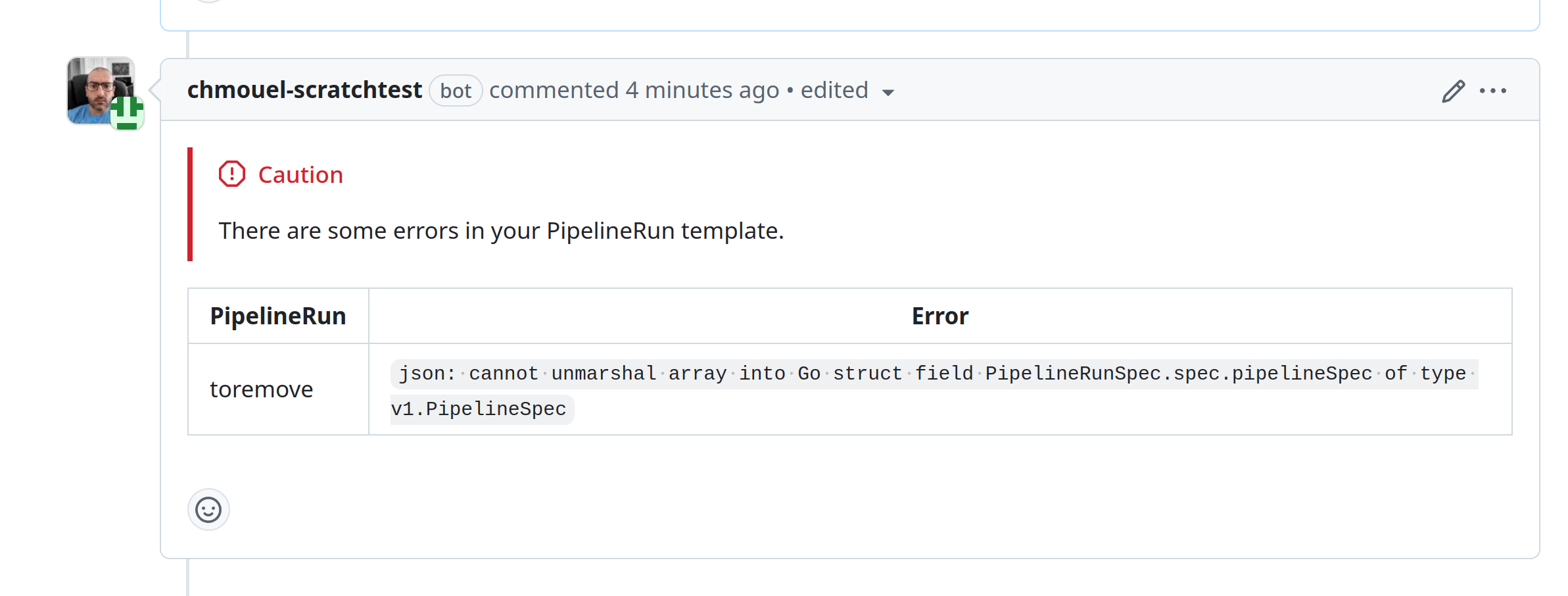
If Pipelines-as-Code encounters an issue with the YAML formatting of Tekton resources in the repository, it posts a comment on the pull request describing the error. Pipelines-as-Code also logs the error in the namespace event stream and in the controller log.
Despite validation errors, Pipelines-as-Code continues to run other correctly parsed and matched PipelineRuns. However, a YAML syntax error in any PipelineRun halts the execution of all PipelineRuns, even those that are syntactically correct.
This feature is supported on the following providers:
| Git Provider | Supported |
|---|---|
| GitHub App | ✅ |
| GitHub Webhook | ✅ |
| Forgejo | ✅ |
| GitLab | ✅ |
| Bitbucket Cloud | ❌ |
| Bitbucket Data Center | ❌ |
When an event triggers from a pull request, Pipelines-as-Code creates a new comment on the pull request detailing the error.
Subsequent iterations on the pull request update the comment with any new errors.
If no new errors are detected, the comment remains and is not deleted.
Here is an example of a YAML error reported as a comment on a pull request:
Cancelling
Cancelling in-progress PipelineRuns
Cancelling in progress PipelineRuns is a Technology Preview feature only. Technology Preview features are not currently supported and might not be functionally complete. We do not recommend using them in production. These features provide early access to upcoming Pipelines-as-Code features, enabling you to test functionality and provide feedback during the development process.
This feature is supported on the following providers:
| Git Provider | Supported |
|---|---|
| GitHub App | ✅ |
| GitHub Webhook | ✅ |
| Forgejo | ✅ |
| GitLab | ✅ |
| Bitbucket Cloud | ✅ |
| Bitbucket Data Center | ❌ |
You can cancel a PipelineRun that is currently in progress by adding the annotation pipelinesascode.tekton.dev/cancel-in-progress: "true" to the PipelineRun definition. This is useful when a new push to the same branch makes an older run irrelevant.
This feature takes effect only while the PipelineRun is in progress. If the PipelineRun has already completed or been cancelled, the cancellation has no effect. To clean up old PipelineRuns, see the max-keep-run annotation instead.
The cancellation scope is limited to PipelineRuns within the current pull request or the targeted branch for push events. For example, if two pull requests each have a PipelineRun with the same name and the cancel-in-progress annotation, Pipelines-as-Code only cancels the PipelineRun in the specific pull request. This prevents interference between separate pull requests.
Pipelines-as-Code cancels older PipelineRuns only after it successfully creates and starts the latest PipelineRun. This annotation does not guarantee that only one PipelineRun is active at a time.
If a PipelineRun is in progress and the pull request is closed or declined, Pipelines-as-Code cancels the PipelineRun.
Currently, cancel-in-progress cannot be used in conjunction with the concurrency
limit setting.
Cancelling a PipelineRun with a GitOps command
See here
Restarting the PipelineRun
You can restart a PipelineRun without sending a new commit to your branch or pull request.
GitHub Apps
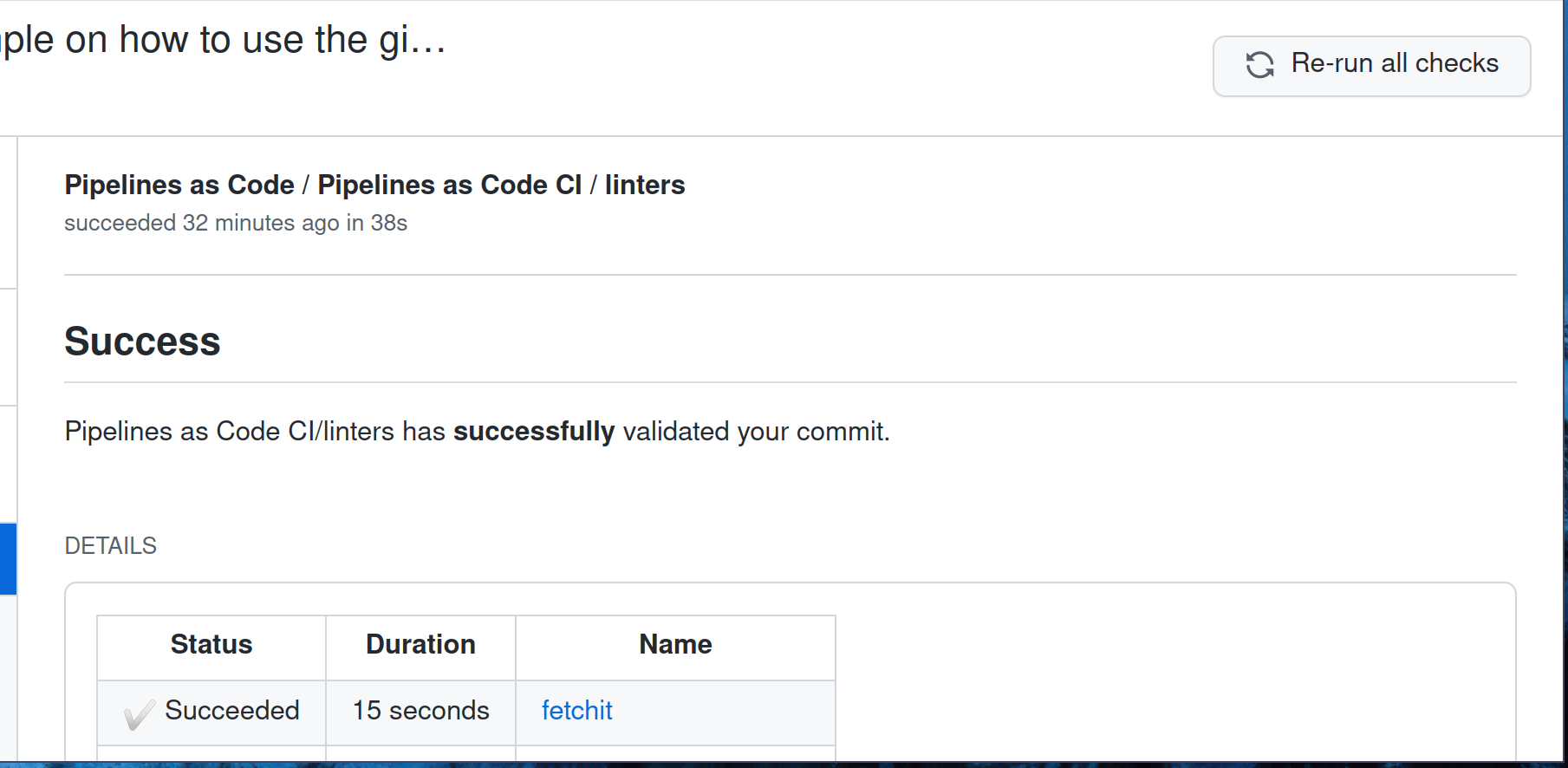
If you use the GitHub Apps method, go to the “Checks” tab and click the “Re-Run” button in the upper right corner. Pipelines-as-Code re-executes the PipelineRun.
You can rerun a specific pipeline or the entire suite of checks.