On this page
Comment Settings
This page explains how to control the volume and behavior of Pull/Merge Request comments that Pipelines-as-Code generates for PipelineRun status updates.
For GitHub (Webhook), GitLab, and Gitea/Forgejo integrations, you can control which
Pull/Merge Request comments Pipelines-as-Code posts by using
the spec.<provider>.comment_strategy setting. This is useful for reducing notification
volume in repositories that use long-lasting Pull/Merge Requests with many PipelineRuns.
The spec.<provider>.comment_strategy field accepts ""
(default), "update", and "disable_all".
Setting comment_strategy to update creates a single comment for
each PipelineRun. When the status changes or the PipelineRun is re-executed,
Pipelines-as-Code updates the same comment with the new status and the associated commit SHA.
Setting comment_strategy to disable_all prevents Pipelines-as-Code
from posting any comment on the Pull/Merge Request related to
PipelineRun status.
update and disable_all strategy applies only to
comments about a PipelineRun’s status (e.g., “started,” “succeeded”).
Pipelines-as-Code may still post comments if there are errors validating PipelineRuns in
the .tekton/ directory. (See Running the PipelineRun docs for details.)GitLab
By default, Pipelines-as-Code attempts to update the commit status through the GitLab API. It first tries the source project (fork), then falls back to the target project (upstream repository). The source project update succeeds when the configured token has access to the source repository and GitLab creates pipeline entries for external CI systems like Pipelines-as-Code.
The target project fallback may fail if there is no CI pipeline running for that commit in the target repository, because GitLab only creates pipeline entries for commits that actually trigger CI in that specific project. If either status update succeeds, Pipelines-as-Code does not post a comment on the Merge Request.
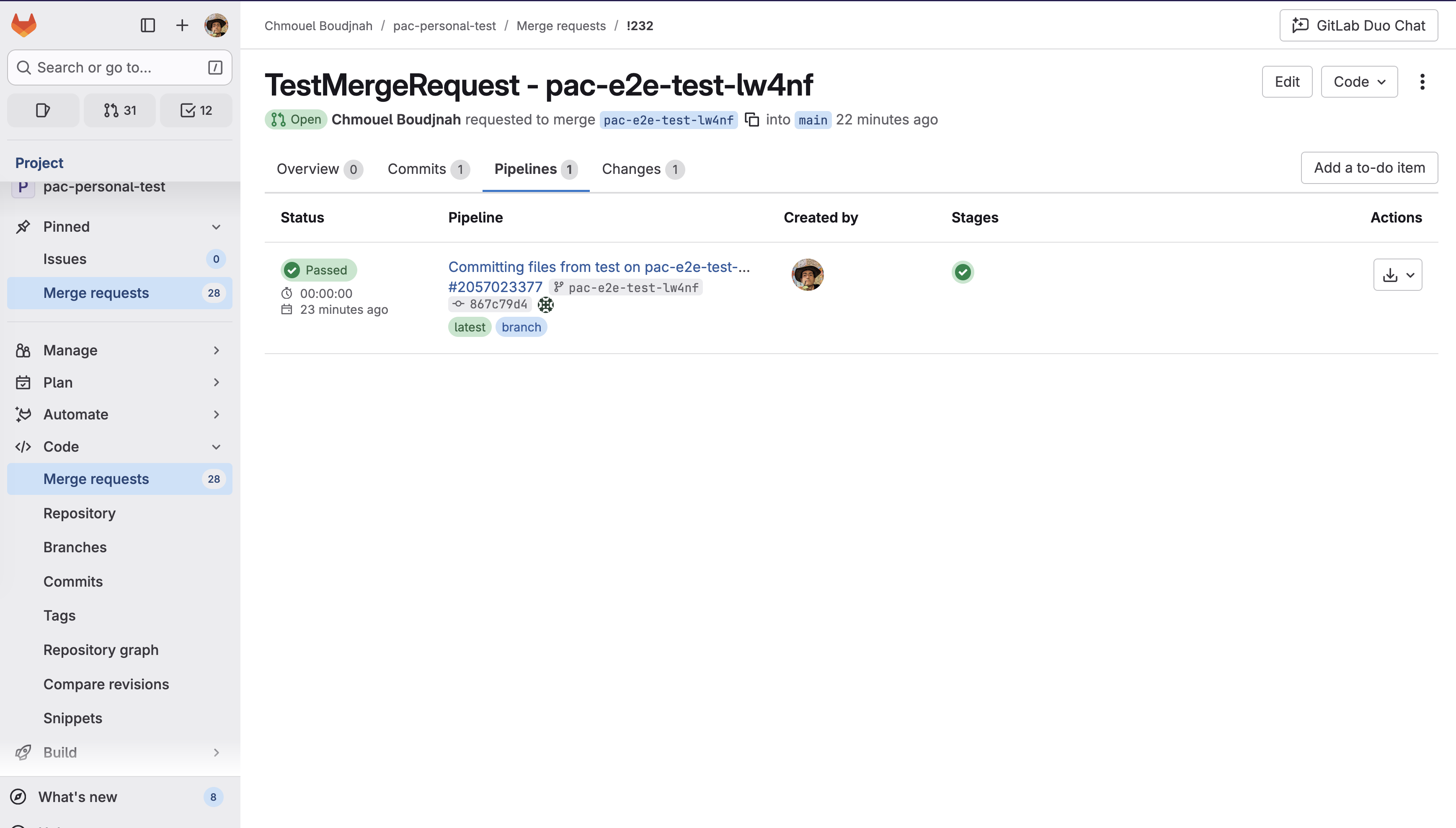
When a status update succeeds, you can see the status in the GitLab UI in the Pipelines tab, as
shown in the following example:
Pipelines-as-Code posts comments only when:
- Both commit status updates fail (typically due to insufficient token permissions)
- The event type and repository settings allow commenting
- The
comment_strategyis not set todisable_all
spec:
  settings:
    gitlab:
      comment_strategy: "disable_all"
For installation guidance and troubleshooting fork-based workflows, see: GitLab Installation - Working with Forked Repositories
GitHub Webhook
spec:
  settings:
    github:
      comment_strategy: "disable_all"
Forgejo/Gitea
You can also configure a custom User-Agent header for API requests to
Forgejo/Gitea instances. This is useful when your instance is behind an AI
scraping protection proxy (such as Anubis) that
blocks requests without a recognized User-Agent.
By default, Pipelines-as-Code sends pipelines-as-code/<version> as the
User-Agent. You can override this per repository:
spec:
  settings:
    forgejo:
      user_agent: "my-custom-agent"