On this page
- Prerequisites
- Required Tools
- Recommended Tools
- Local Development with startpaac
- What startpaac Provides
- Quick Start
- Manual Development Setup
- Deploying Changes to Kubernetes
- Using ko (Recommended)
- Iterative Development
- Code Quality Workflow
- After Editing Code
- Before Committing
- Pre-commit Hooks
- Installation
- What Gets Checked
- Skipping Hooks
- Working with Dependencies
- Adding a New Dependency
- Updating All Dependencies
- Documentation Preview
- Debugging
- Debugging the Controller
- Watching Logs with snazy
- Common Make Targets
- Troubleshooting
- Build Issues
- Test Issues
- Deployment Issues
- Next Steps
Development Setup
This guide walks you through setting up a complete development environment for Pipelines-as-Code, from initial setup to running your first test.
Prerequisites
Before you begin, ensure you have the following installed:
Required Tools
- Go 1.20+: Download
- kubectl: Installation guide
- Docker or Podman: For building container images
- Git: For version control
Recommended Tools
- kind: Installation guide - For local Kubernetes clusters
- ko: Installation guide - For building and deploying Go container images
- tkn: Installation guide - Tekton CLI
Local Development with startpaac
The recommended way to set up a local development environment is using startpaac, which provides an interactive, modular setup.
What startpaac Provides
- Kind cluster with local container registry
- Nginx ingress controller for webhook routing
- Tekton Pipelines and Dashboard
- Pipelines-as-Code controller, watcher, and webhook
- Forgejo instance for local E2E testing
Quick Start
1
Clone startpaac
git clone https://github.com/openshift-pipelines/startpaac
cd startpaac
2
Run the setup
./startpaac -aThis will install all components. You can also run individual modules:
# Install only specific components
./startpaac -k  # Kind cluster only
./startpaac -t  # Tekton only
./startpaac -p  # PAC only
./startpaac -f  # Forgejo only
3
Verify the installation
kubectl get pods -n pipelines-as-codeYou should see the controller, watcher, and webhook pods running.
See the startpaac README for detailed configuration options and environment variables.
Manual Development Setup
If you prefer manual setup or need more control:
1
Fork and clone the repository
git clone https://github.com/<your-username>/pipelines-as-code.git
cd pipelines-as-code
2
Install development dependencies
# Install pre-commit hooks
brew install pre-commit  # macOS
# or
sudo apt install pre-commit  # Ubuntu/Debian
# or
pip install pre-commit  # Using pip

# Install pre-commit hooks
pre-commit install
3
Install linting and formatting tools
# Go tools
go install github.com/golangci/golangci-lint/cmd/golangci-lint@latest
go install mvdan.cc/gofumpt@latest

# YAML linter
pip install yamllint

# Markdown linter
npm install -g markdownlint-cli

# Python formatter
pip install ruff

# Shell script linter
brew install shellcheck  # macOS
sudo apt install shellcheck  # Ubuntu/Debian

# Documentation grammar checker
brew install vale  # macOS
# or download from https://github.com/errata-ai/vale/releases

# Spell checker
pip install codespell
4
Set up Go dependencies
# Download dependencies and create vendor directory
go mod download
make vendor
5
Build the binaries
# Build all binaries
make allbinaries

# Or build individual components
make bin/pipelines-as-code-controller
make bin/pipelines-as-code-watcher
make bin/tkn-pac
Deploying Changes to Kubernetes
Using ko (Recommended)
ko allows you to rapidly build and deploy Go applications to Kubernetes:
1
Set the Docker repository
Point ko to your local registry (if using kind with startpaac):
export KO_DOCKER_REPO=localhost:5000Or use your own registry:
export KO_DOCKER_REPO=quay.io/<your-username>2
Deploy to Kubernetes
# Deploy all PAC components
ko apply -f config -B
This builds the container images and deploys them to your cluster.
3
Verify the deployment
kubectl get pods -n pipelines-as-code
kubectl logs -n pipelines-as-code -l app.kubernetes.io/name=controller -f
Iterative Development
When making code changes:
Edit your Go files
Run formatting:
make fumptRedeploy with ko:
env KO_DOCKER_REPO=localhost:5000 ko apply -f config -BWatch the logs:
kubectl logs -n pipelines-as-code -l app.kubernetes.io/name=controller -f
Code Quality Workflow
After Editing Code
- Go Files
- Python Files
- Markdown Files
make fumptThis formats Go code using gofumpt (a stricter version of gofmt).
make fix-python-errorsThis formats and fixes Python code using ruff.
make fix-markdownlint && make fix-trailing-spacesThis fixes markdown linting issues and removes trailing spaces.
Before Committing
1
Run tests
make test2
Run linters
make lint3
Or run both together
make checkPre-commit Hooks
Pre-commit hooks automatically run quality checks before you push code.
Installation
pre-commit installWhat Gets Checked
The pre-commit hooks run:
- golangci-lint: Go code quality
- yamllint: YAML syntax and style
- markdownlint: Markdown formatting
- ruff: Python code formatting
- shellcheck: Shell script validation
- vale: Grammar checking for documentation
- codespell: Spell checking
Skipping Hooks
Only skip hooks when absolutely necessary. Pre-commit checks help maintain code quality.
# Skip all hooks
git push --no-verify

# Skip a specific hook
SKIP=lint-md git push
Working with Dependencies
Adding a New Dependency
1
Add the dependency
go get -u github.com/example/dependency2
Update vendor directory
make vendorAlways run make vendor after adding or updating dependencies. This is required!
3
Verify the build
make allbinaries testUpdating All Dependencies
go get -u ./...
make vendor
See the developer documentation for additional instructions on updating dependencies and handling version conflicts.
Documentation Preview
PAC uses Hugo for documentation. To preview documentation changes locally:
1
Start the Hugo server
make dev-docsThis downloads Hugo and starts a live-reload server.
2
View the documentation
Open http://localhost:1313 in your browser. Changes to documentation files automatically reload the page.
Debugging
Debugging the Controller
1
Create a webhook forwarding URL
Generate a hook URL at https://hook.pipelinesascode.com/new
2
Forward webhooks to your local controller
Use gosmee to forward webhook events:
gosmee client https://hook.pipelinesascode.com/YOUR_ID http://localhost:80803
Save webhook replays (optional)
gosmee client --saveDir /tmp/replays https://hook.pipelinesascode.com/YOUR_ID http://localhost:8080This saves each webhook to /tmp/replays as a shell script you can replay.
Watching Logs with snazy
snazy makes JSON logs more readable:
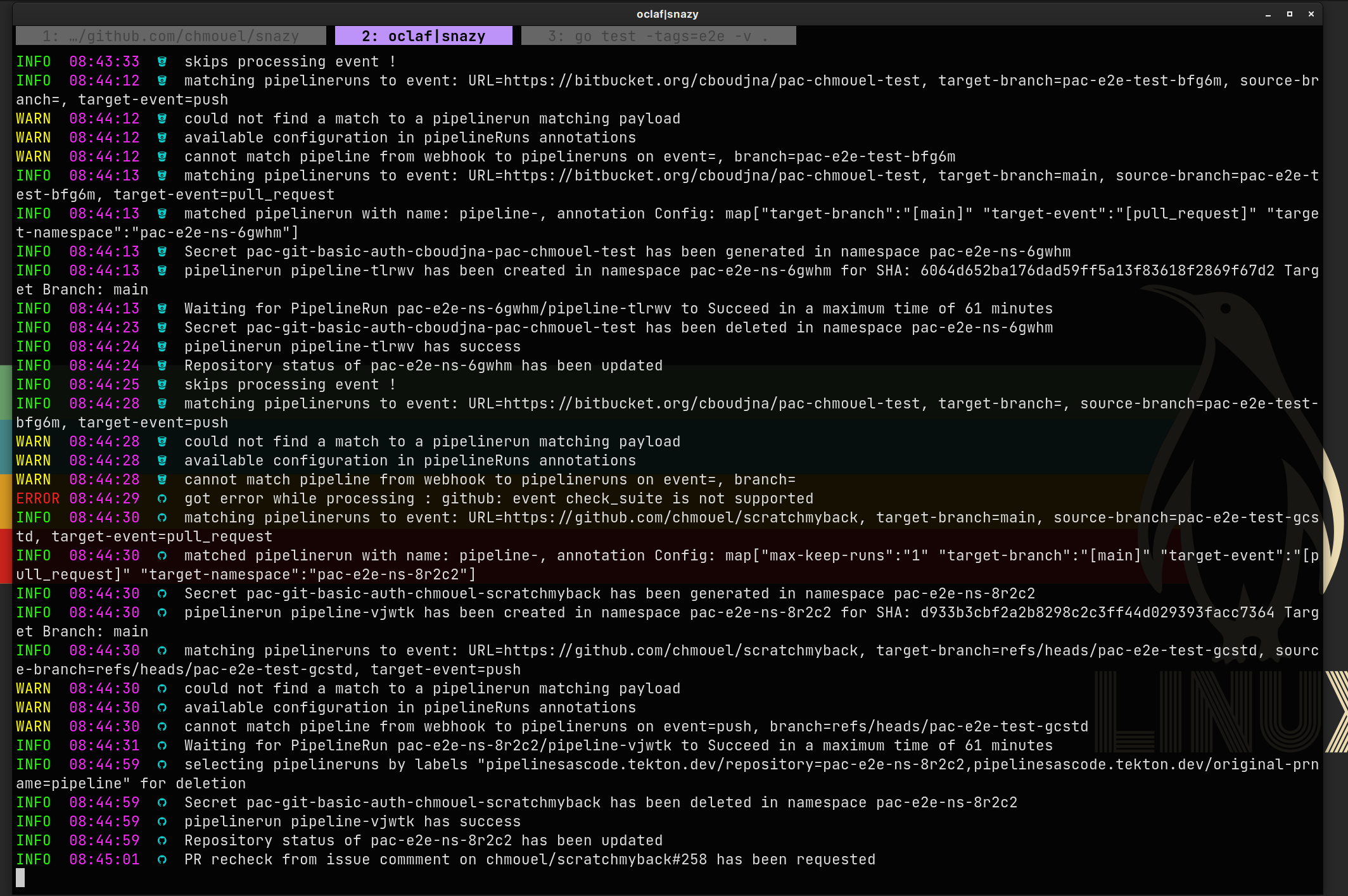
kubectl logs -n pipelines-as-code -l app.kubernetes.io/name=controller -f | snazyCommon Make Targets
make help              # Show all available targets
make all               # Build, test, and lint everything
make allbinaries       # Build all binaries
make test              # Run unit tests
make test-no-cache     # Run tests without cache
make test-e2e          # Run E2E tests
make lint              # Run all linters
make fix-linters       # Auto-fix most linting issues
make vendor            # Update vendor directory
make clean             # Clean build artifacts
make html-coverage     # Generate HTML test coverage report
make update-golden     # Update golden test files
make dev-docs          # Preview documentation locally
Troubleshooting
Build Issues
Problem: vendor/ directory out of sync
Solution: Run make vendor to regenerate it.
Test Issues
Problem: Tests failing due to stale golden files
Solution: Regenerate golden files with make update-golden.
Deployment Issues
Problem: Changes not reflected in the cluster
Solution: Ensure you’re using the correct KO_DOCKER_REPO and the pods have restarted:
kubectl delete pods -n pipelines-as-code -l app.kubernetes.io/name=controller